
 5 min
5 min
How to Use the Dictionaries to Teach Primary School
Instead of flipping through a doorstop with limited information, students would much rather look up a word in Antidote and move between dictionaries in just a click—that much is true. Not only are Antidote’s dictionaries user-friendly, but they are also a precious resource for helping you prepare your lessons and organize in-class activities.
This article presents five tips for making the most of the dictionaries as a primary school teacher. There’s also a bonus tip at the end that will make your life easier when preparing report cards and online communications.
1. Explore Semantic Fields
Help your students expand their vocabulary with the dictionary of semantic fields. It will spark their imagination with content that broadens horizons and minds.
For each entry (also called headword), words appear in a list based on their meaning, their category (noun, verb, adjective or proper noun) and the strength of their link with the headword. Click a word from the list and its definition appears in the panel on the right. Double-click the word and Antidote redirects you to its semantic field.
If you explore semantic fields in class, show your students the interactive sphere found in the bottom right corner. The larger the word, the stronger its semantic link with the headword. Click the two arrows to expand the sphere. Move your mouse over the interactive sphere to see it from different angles and to change the rotation speed. Wow factor guaranteed! ✨
Find out more in the Dictionary of Semantic Fields section of the user guide.
Exercise idea: Choose a word and project its semantic field on the interactive whiteboard. Then, select some of the nouns, adjectives and verbs with your students, who can use them as inspiration to write simple sentences or a short text with a common theme.
With younger students, you might prefer to prepare a list of words chosen from a semantic field and present it on the interactive whiteboard. Add these words to a list of favourites, which our next tip happens to focus on. 👇
2. Create Lists of Favourite Entries
Bookmark dictionary entries to prepare weekly vocabulary or to make themed lists related to a field trip, a specific subject or a book being studied. Click the heart icon (A) to quickly add an entry to the main list, or click the chevron next to it to create a new list of words (B). Open the (C) window to see your list of favourites.
-
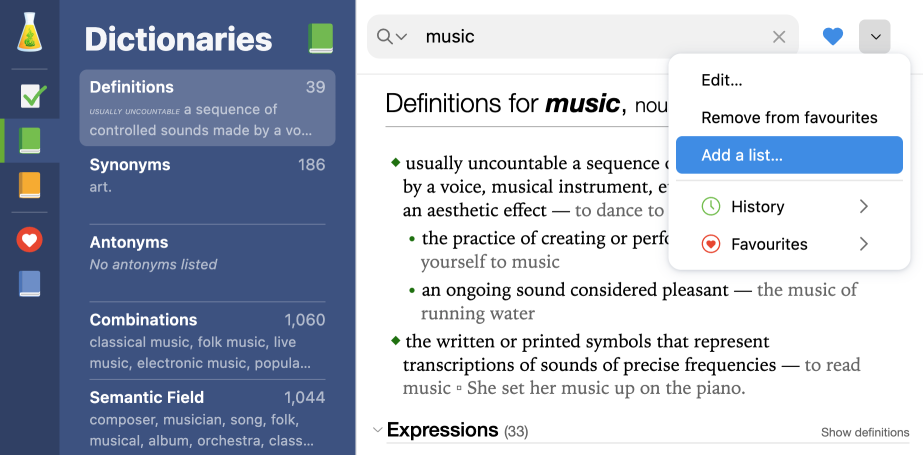
Add a list of favourites
ABC
Did you know? Favourites are saved with the dictionary you bookmarked them from (Definitions, Semantic Field, Conjugation, etc.). Clicking a word in your list opens the corresponding entry in the dictionary where it was added as a favourite.
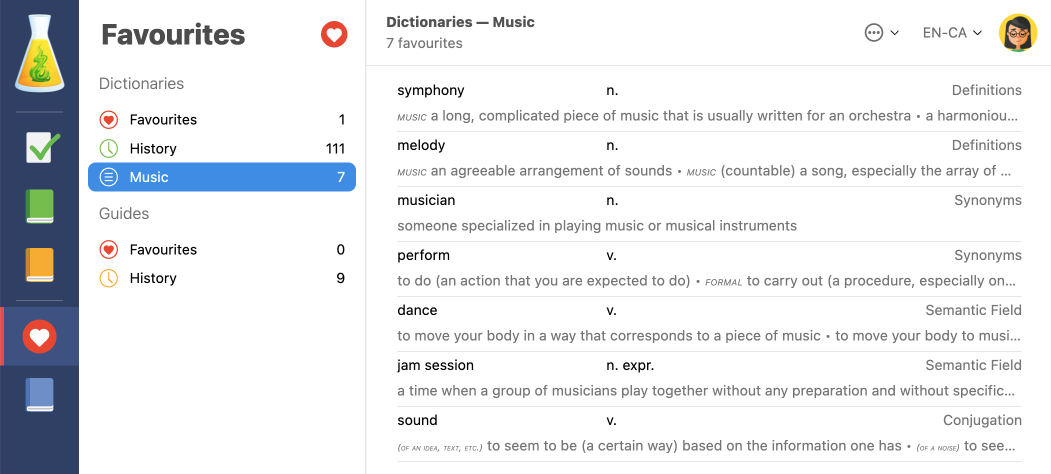
List of favourites saved from different dictionaries
To learn more about creating personalized lists, visit the List of Favourites from the Dictionaries section of Antidote’s User Guide.
3. Mix It Up With Synonyms and Antonyms
One of the joys of the English language is the breadth of its synonyms and antonyms. Antidote’s dictionaries contain separate and exhaustive lists for both, where entries are grouped according to their meaning. Use them to build your students’ vocabulary and to help them memorize words and avoid commonplace ones.
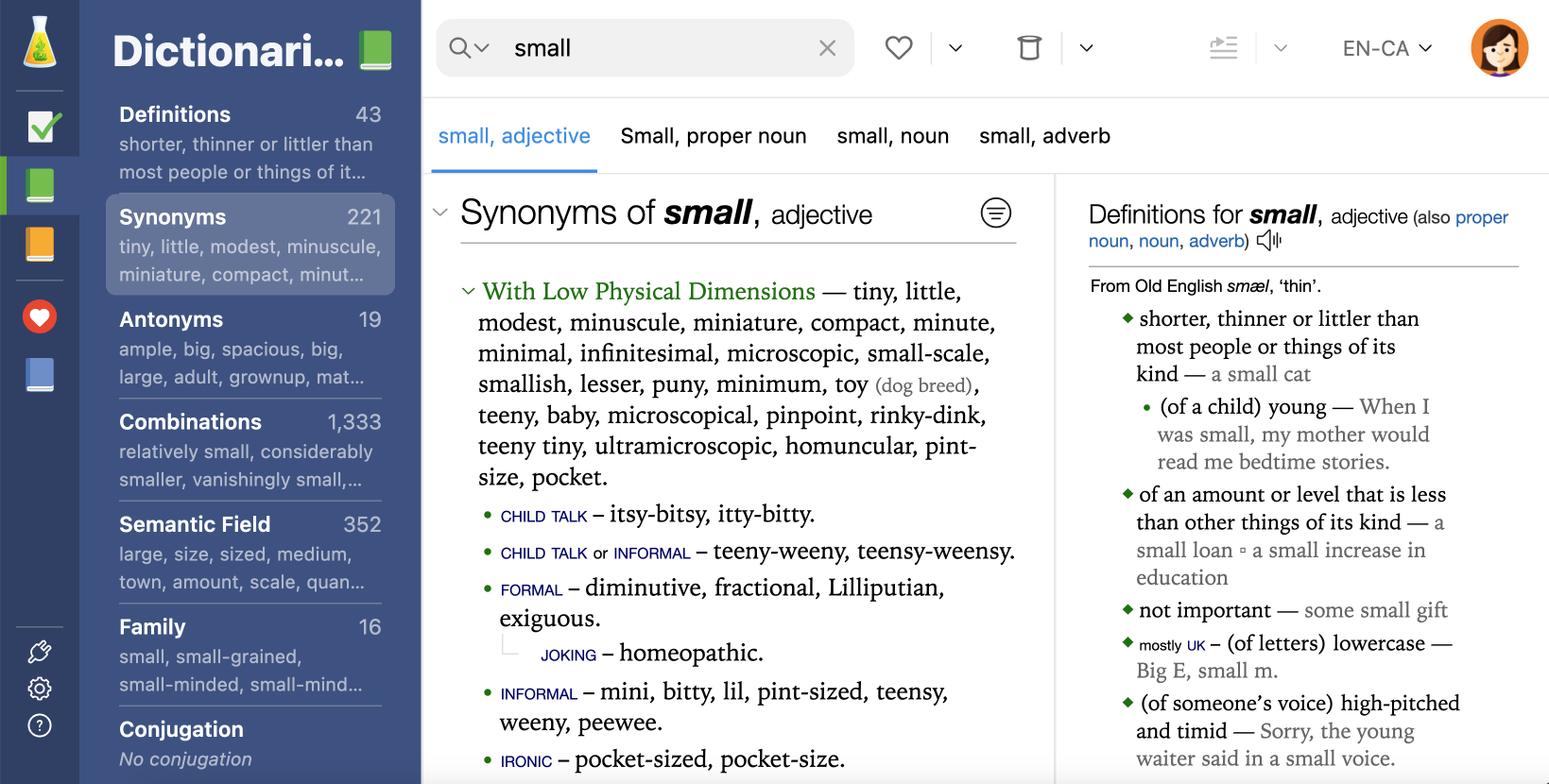
The entry for small in the dictionary of synonyms
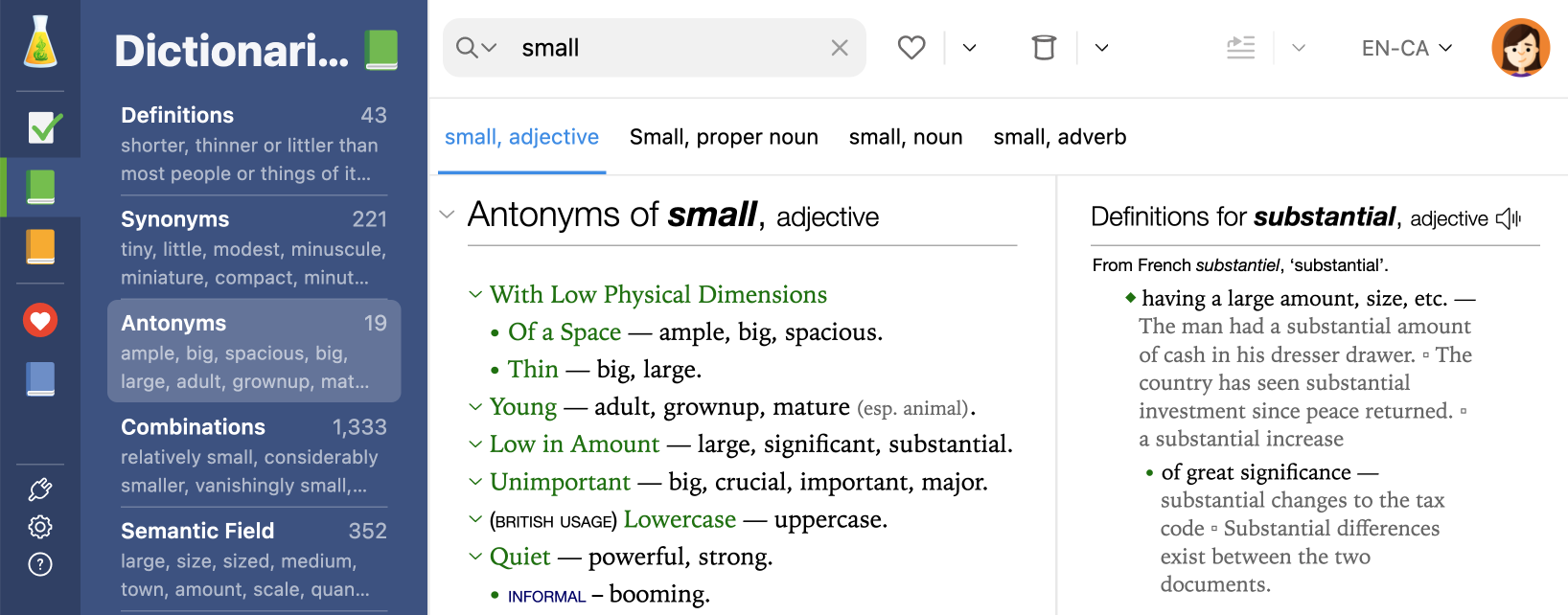
The entry for small in the dictionary of antonyms
Exercise idea: Choose a common word and ask your students to come up with as many synonyms and antonyms as they can think of. Write them on the board, then project the entry in Antidote’s dictionary of synonyms or antonyms. See how many they found and what new words they can learn.
By default, synonyms and antonyms are sorted by relevance, but you can also show them alphabetically, by frequency or by length depending on your needs. For example, if you do the exercise above, you may want to sort them alphabetically so your students’ answers are easier to spot. Simply click the button to the right of the entry.
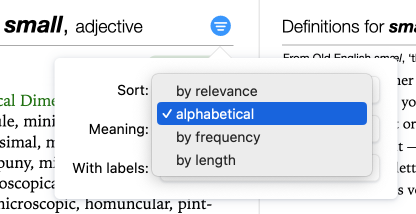
Options to sort synonyms
Did you know? Antidote’s content is exhaustive, so you may come across words that are unsuitable for elementary school students when working with semantic fields, synonyms and antonyms. Luckily, these words can be filtered! If you have an organization subscription, someone who holds a Permissions Manager, Exam Monitor, Technician or Administrator role must restrict your group’s access to sensitive content. If you have Antidote 12, go to the settings, then click Access control in the Interface section. Click the padlock and enter your account credentials, then check the boxes to filter sensitive content.
4. Listen to Word Pronunciations
It can be hard to keep track of the variability and many exceptions of English pronunciation. The same sequence of letters is often pronounced differently depending on the word. Take ough for example; the words tough, cough, through and dough are not pronounced the same. With wh, sometimes the h is silent, while other times the w is (e.g. whorl vs. whole). What about ch? When is it pronounced like tch (e.g. chore) and when is it like k (e.g. chord)?
These pronunciations come intuitively for native English speakers, but they are often tricky for students who are learning English or speak it as a second language. Antidote’s audio pronunciation feature is therefore particularly useful for them.
Plus, English is full of words with surprising pronunciations: fuchsia, colonel, mischievous and so on. The feature is helpful for all students when they come across rarer or more intricate words.
Click the speaker icon to hear a word’s pronunciation.
-
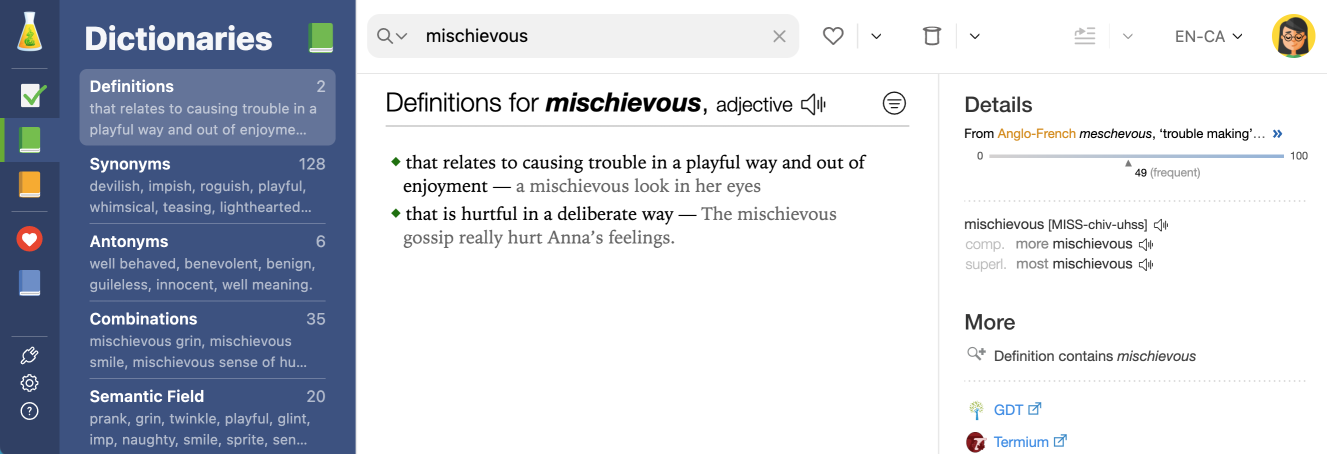
Audio pronunciation
This feature appears in most of Antidote’s dictionaries. In the dictionary of rhymes, for example, click the phonetic transcription of a result to hear the pronunciation of the word you searched followed by the rhyme, and get an idea of what they sound like together. Your students will become poets in no time!
Read the article Audio Pronunciation and Phonetic Transcriptions to learn more. See, for example, how Antidote’s linguistic team recorded human voices to generate the pronunciation of its dictionary entries.
5. Discover Words and Their History
Does your students’ attention start wandering by the end of the day? Why not end your class on a fun note and discover words by drawing them from the hat!
Click the hat for Antidote to randomly select an entry. Use the menu under the chevron to choose a category, such as etymological notes.
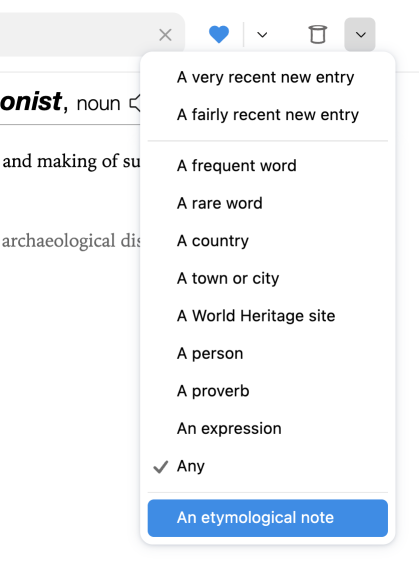
Discoveries menu
Etymological notes describe the fascinating context of words and enigmatic expressions. For example, have your students heard the expression bell the cat? This is one of many idioms that stem from a fable or fairy tale. You could even read the tale with your students after reading the origins of the expression in Antidote’s dictionary.
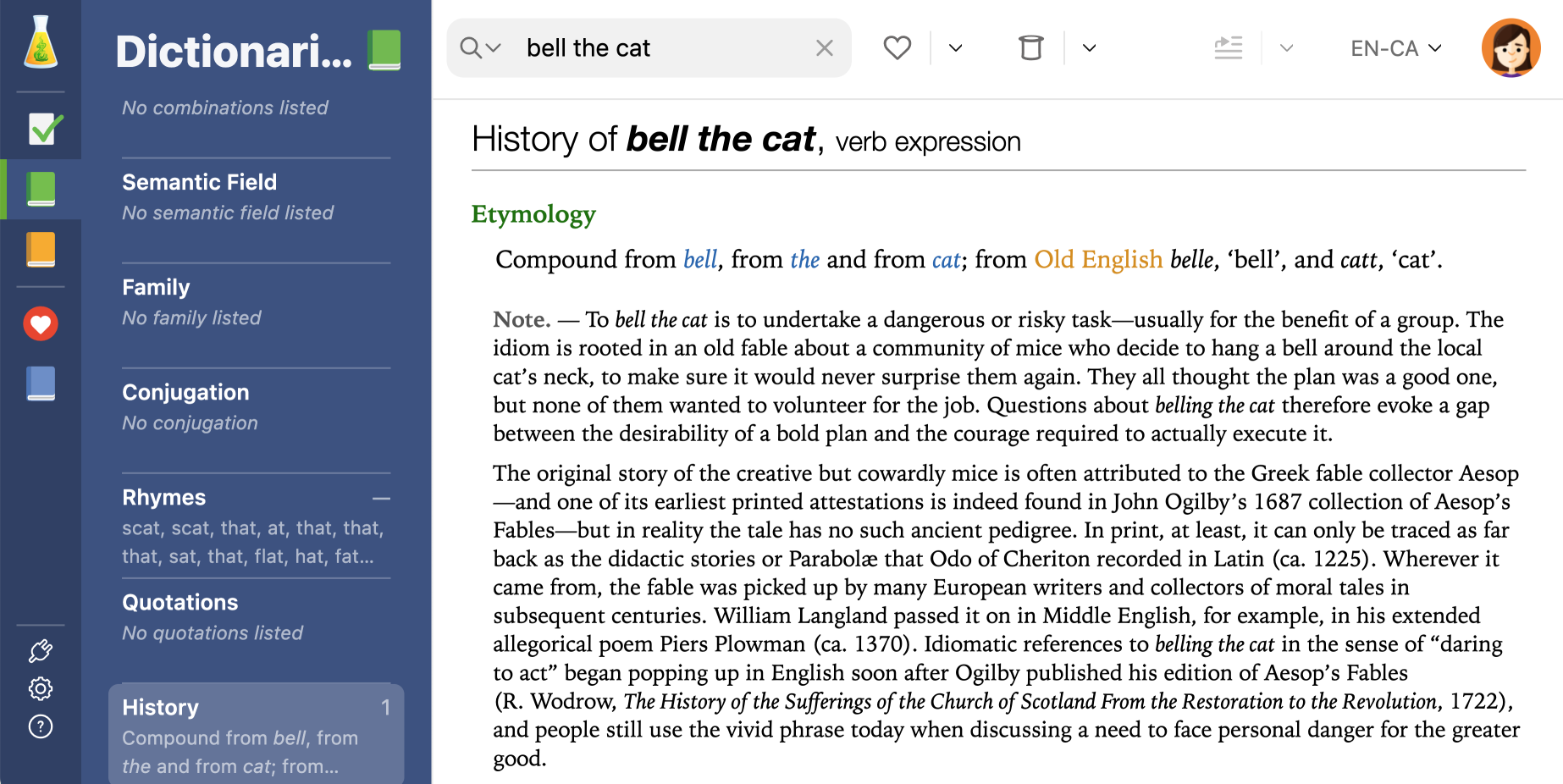
Etymological note for the expression bell the cat
Check out the Discovering Words at Random section of the user guide to learn more about the top hat and the treasures of the English language.
Bonus: Correct Your Texts as You Write With Live Correction
Here’s an extra tip that will make it easier to write your evaluations, education plans and other communications on the online platforms you use daily, without having to open Antidote’s corrector.
The Live Correction flask icon appears as soon as you start typing in an editable text field in your browser. You’ll recognize the corrector’s distinctive elements like coloured underlining and explanatory tooltips.
Live Correction in an editable text field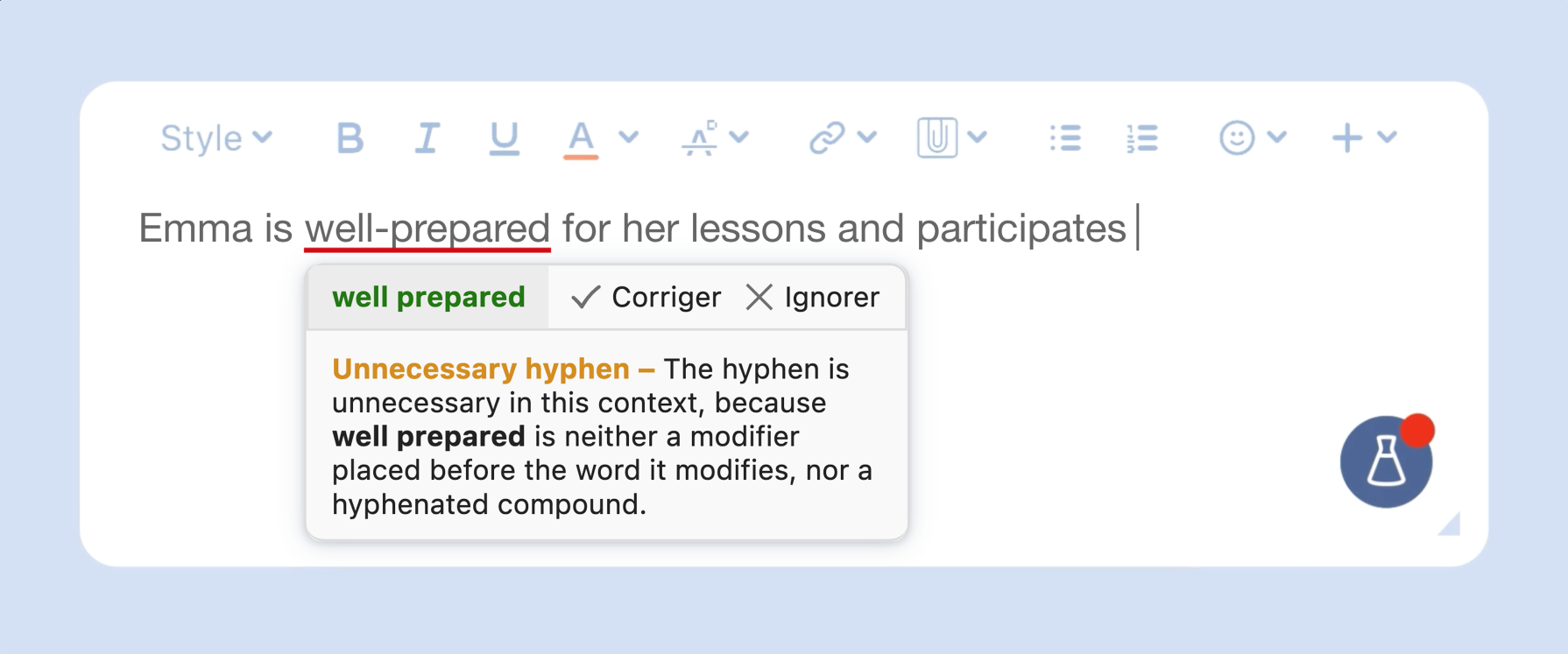
Live Correction also provides smart suggestions to reword, for example, incomplete sentences. Antidote harnesses the power of generative AI and its own writing assistance tools to reshape your text while staying true to your ideas.
Need to revise your entire message or improve its style? Click the flask icon and select Continue in Antidote.
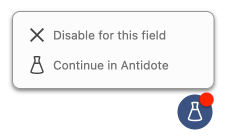
Once you have revised your text, close the corrector; every change made is automatically applied to the original text, without the need to copy-paste. It’s never been easier to remedy your writing!
Check out the chapter on Live Correction in the user guide to learn more.
Antidote’s dictionaries are incredibly useful in primary school. They help you organize lessons and in-class activities. Use them to start stimulating conversations about culture and language use. Take a deep dive into Antidote’s rich dictionaries and discover a myriad of possible exercises to carry out and ideas to explore in class! 📗🤓