Getting Started With Antidote: Leveraging the Dictionaries and Guides
Share on Facebook
Share on LinkedIn
Share via email
Print
Share on Facebook
Share on LinkedIn
Share via email
Print
So you’ve chosen Antidote to remedy your writing and want to make the most of your new writing companion. But where to start? This series of four articles shows you the functions you need to know to use the corrector, dictionaries and language guides efficiently.
In this third article of the Getting Started With Antidote series, discover how to harness the software’s rich references. Find the right word in the dictionaries in just a few clicks. Go straight to the corresponding page in the language guides with just one click in the tooltip. Dive into reliable content verified by our linguists to fuel your inspiration and deepen your English knowledge.
Antidote’s dictionaries and guides help you with many things:
Learning new words
Better understanding grammar
Finding the perfect synonym
Coming up with the right word combination
Expanding a semantic field
Understanding nuance between two words
And so much more
Antidote’s dependable references are easy to browse. The entire content, created by our linguists, is linked, letting you navigate between dictionaries and guides with the click of a mouse.
Accessing the References
Here are the most common ways of accessing Antidote’s dictionaries and guides.
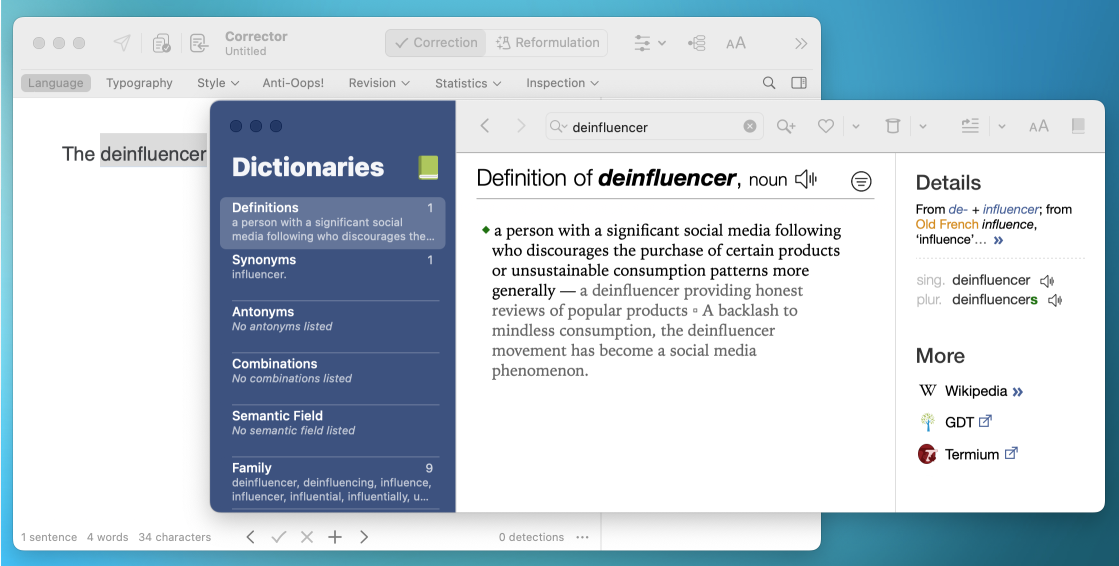
Dictionary or guide icons in the corrector’s interface
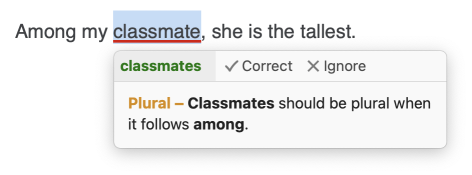
Title of the explanation in the corrector’s tooltip (such as Plural in the example below). If the title is orange, clicking it will open the relevant article in the guides. If it’s green, it will open the dictionaries.
In the application where you write
Antidote Connector, in the toolbar
Context menu, when you right-click
Open a dictionary or guide and carry out a search, or select a word first for Antidote to open on that entry.
The way to launch the dictionaries and guides depends on the software. To learn more, check out the page Using Antidote With Other Software on our website.
The Dictionaries
Antidote includes 10 rich and innovative dictionaries that contain nearly 200,000 words and expressions, over a million synonyms and nearly a million collocations.
If your Antidote handles both English and French, it also displays translations.
Typical dictionary with a description for each word and expression, enhanced with a details panel.
Synonyms
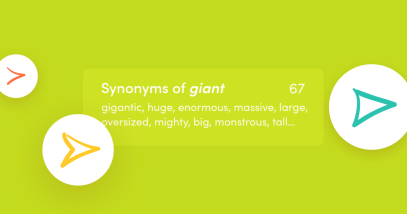
Words with a similar meaning presented in structured lists and grouped according to meaning.
Antonyms
Contrasts and opposites of a word grouped according to meaning.
Combinations
Comprehensive list of significantly frequent word associations between the headword and other words.
Semantic Field
Semantic links with other words, related vocabulary, range of ideas.
Family
Words that have a common morphological root and revolve around a common meaning.
Conjugation
Comprehensive set of tenses, moods and persons along with their corresponding forms, and auxiliaries for compound forms.
Rhymes
Words that rhyme perfectly or imperfectly, share phonetic similarities (assonance and consonance), along with multiple filters.
Quotations
Examples of the word as it is employed in context drawn from literary and journalistic texts.
History
Information on the origins of a word (etymology and notes), etymological relationships, spelling and meaning evolution throughout history.
How the Dictionaries Work
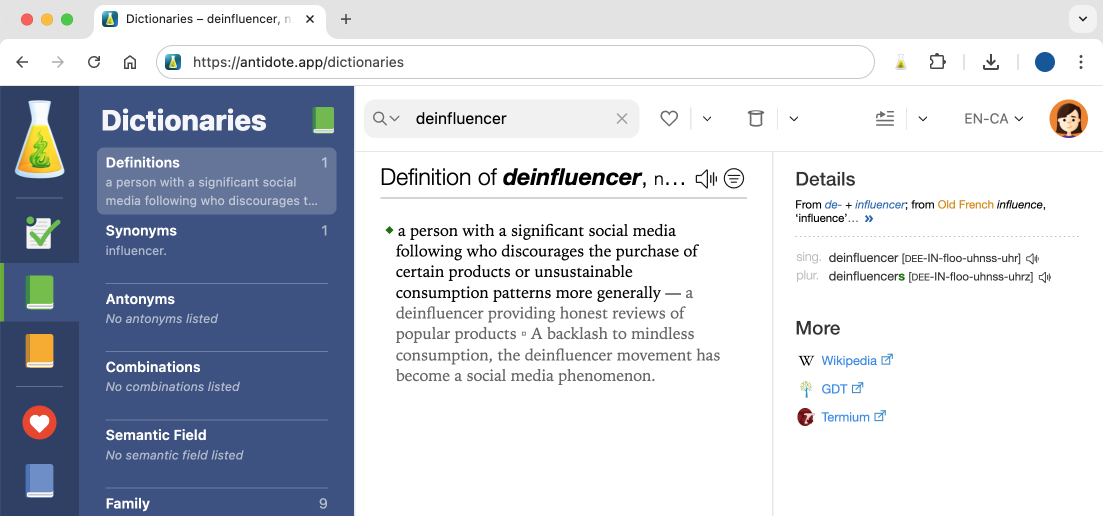
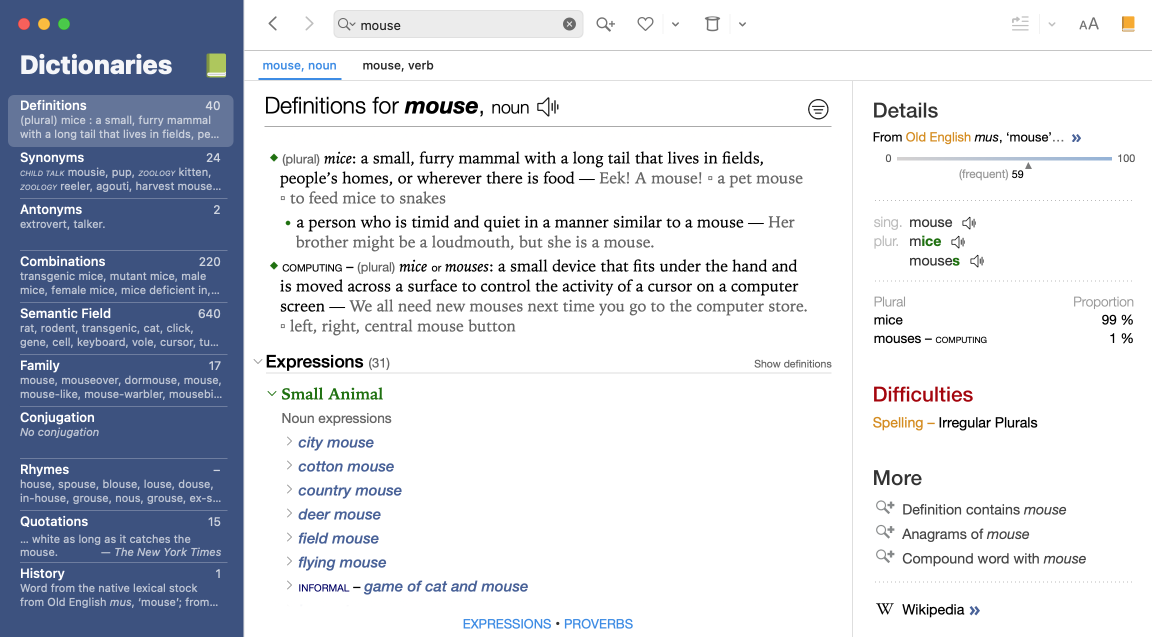
The interface includes the list of dictionaries on the left (A) and the main panel in the centre (B). In most dictionaries, a third panel with details appears on the right (C).
A
B
C
A) Dictionaries panel
Consult your word’s entry in the various dictionaries. Each one shows a preview of the content related to your search.
B) Main panel
Get essential information about your word. For example, the dictionary of Definitions provides an entry’s definition, inflected forms (singular and plural, comparative and superlative), phonetic transcription, pronunciation, etymology, any alternative spellings, related expressions and proverbs, and common difficulties associated with the word. Other dictionaries provide lists of synonyms, semantic fields and rhymes. As for the Combinations dictionary, it inlcudes a comprehensive inventory of collocations related to the entry.
C) Details panel
Find useful details in the third panel. In the Definitions dictionary, the panel displays etymological information, the frequency of the word’s use and any linguistic difficulties. In the Combinations dictionary, the panel provides examples of the word being used, as seen below.
C
The Language Guides
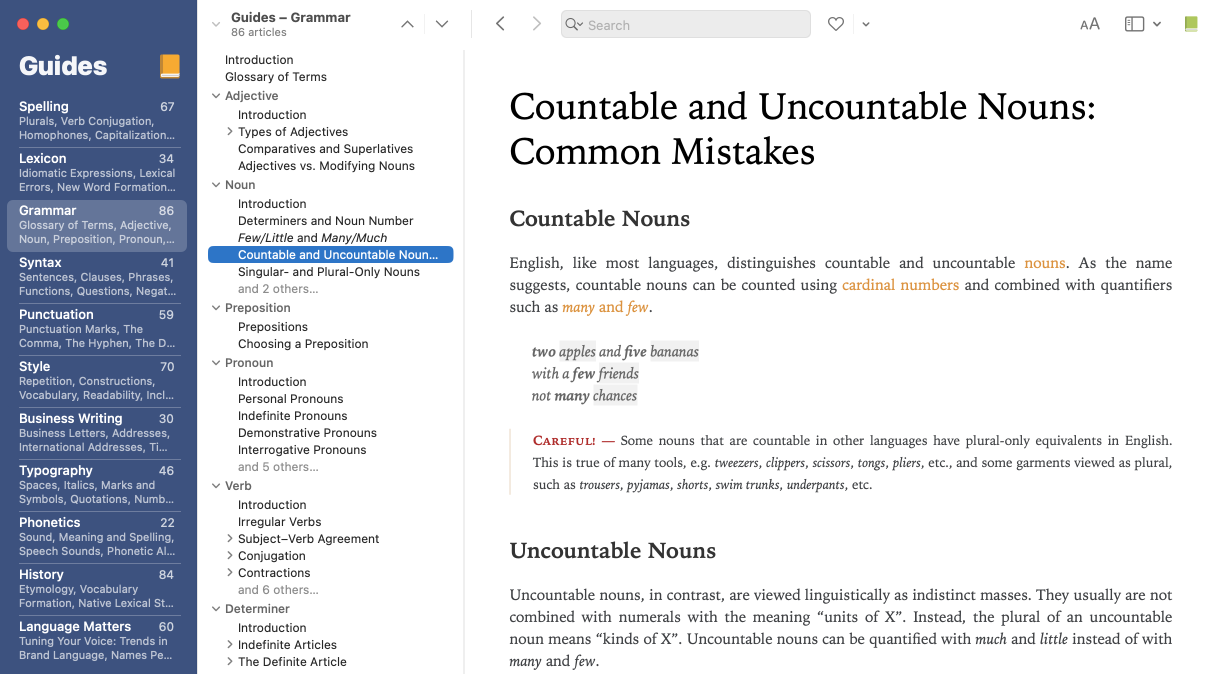
Antidote has clear and detailed language guides that contain hundreds of articles to help you better understand rules and exceptions. The corrector’s tooltips provide explanations that link to the relevant article, encouraging you to learn from your mistakes.
These two guides cover many difficult problems, some well-known and others less so.
Grammar, Syntax, Punctuation and Typography
The content of these guides draws inspiration from several authoritative references including The Cambridge Grammar of the English Language, the Oxford English Grammar, New Hart’s Rules, The Canadian Style and The Chicago Manual of Style.
Style
Besides containing articles inspired by the references above, this guide explains the reasoning behind the detections of the corrector’s style filters and the rewriting suggestions of the Reformulation mode.
Business Writing
This guide includes recommendations for writing letters and addresses, as well as information about abrasive tone and legal language.
Phonetics
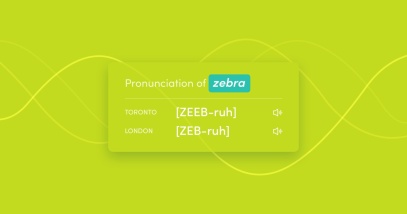
This guide recalls the phonetic transcriptions found in the dictionary of definitions and the conjugations. It describes the principles of the English sound system, particularly two of its regional variants: General American and General Southern British.
History
This guide traces the evolution of English from its origins, with articles on native lexical stock languages like Proto-Germanic and Old English. It complements the History dictionary.
Language Matters
This guide contains language-related articles published on our website. The content covers various language issues in detail, including questions frequently asked by users.
English and French and Français et anglais
If your Antidote handles English and French, you get two additional guides, which cover differences between the two languages.
How the Language Guides Work
The interface is divided into three parts: the list of guides (A), the list of articles (B) and the article (C).
A
B
C
A) The list of guides
Find a subject using this table of contents. Each guide has a preview of its content.
B) The list of articles
See all the articles included in a guide. Use the chevrons to hide or reveal the articles of a given topic.
C) The article
Get all the information you need, such as rules and exceptions, insightful examples to broaden your understanding, and even tips to help you better remember a rule.
Navigation Tips
From One Entry to Another
With the corrector, dictionaries and guides fully linked, you can easily navigate between them. Jump from one entry to the next by simply double-clicking any word in the interface of the dictionaries and guides.
From One Window to Another
Here’s what happens if you launch the dictionaries or guides from the corrector.
Antidote 12
Antidote opens a new window to display your entry. Keep correcting concurrently with your search.
Antidote Web
When you conduct a search from the corrector, Antidote opens the dictionaries and guides in the same browser window. To return to the corrector, click the icon on the left.
Antidote’s dictionaries and language guides are jam-packed with relevant, verified and easy-to-access information. Their content covers all aspects of language… or almost. Only your specific cases are missing! Did you know you can create lists of words and integrate custom rules that the corrector will use when analyzing your text? Discover how to optimize Antidote for your needs in the last article of our series, Getting Started With Antidote: Customizing the Tools.

 4 min
4 min

 ABC
ABC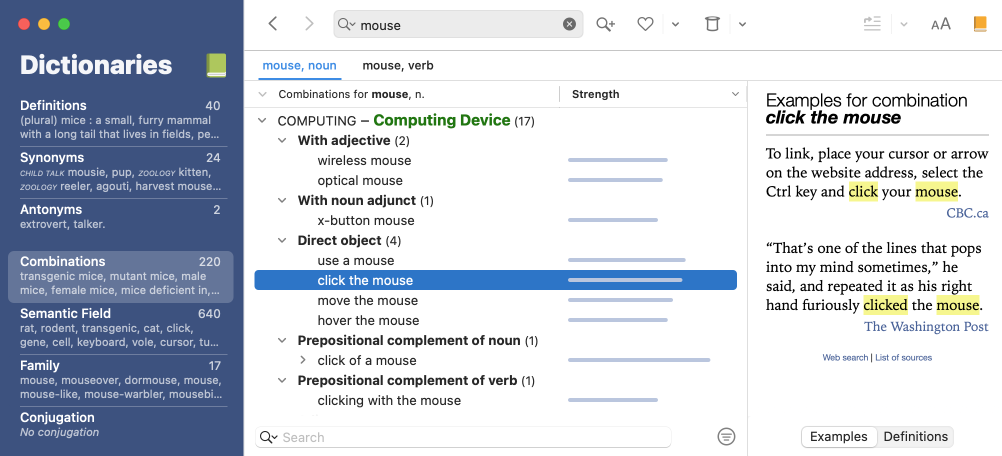
 ABC
ABC